
Precision Parking Retro1.2 - Get APK
You'll be able to download in few seconds.
Publisher Description
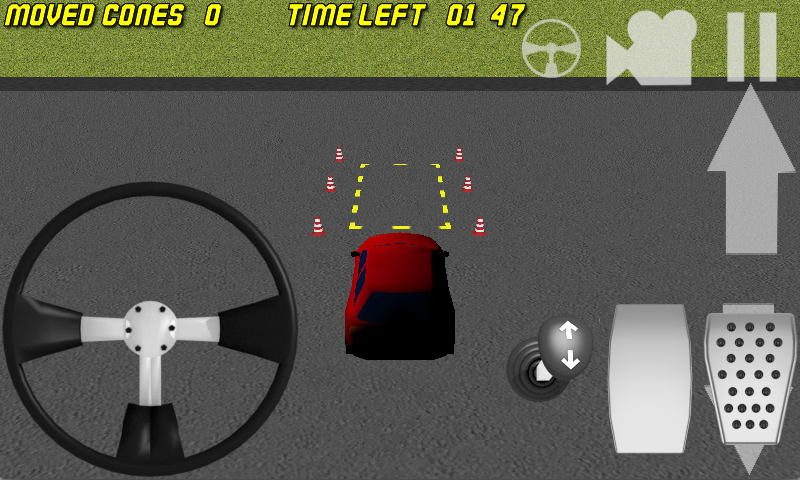
Precision Parking Retro 3D is a car simulator with realistic controls. This a RETRO version of my car parking game series.
The game provides simpler graphics but it is very small in size and should work well even on older devices.
Prove that you can can complete 30 challenging driving exercises and become the master of the steering wheel!
Control your car with an on-screen steering wheel, acceleration and brake pedals. Shift the gear to forward or backward as you need. Watch each level's limits of time.
A level is completed when you park your can on the designated parking area marked with yellow stripes. All 4 corners of the car must be inside.
A single star is awarded for completing the level.
You'll get a star also for completing the level in less than half of the time limit and another one for not moving any of the cones.
Are you a fan of parking games? Probably you have already tried parking cars and parking buses or maybe parking trucks or heavy trucks. But now you can try it again with nice even more realistic controls.
Show your driving skills be agile and precise!
* complete 30 challenging driving exercises
* enjoy the realistic on-screen controls
* toggle your camera if you prefer other views to play
About Precision Parking Retro
The company that develops Precision Parking Retro is Fast Car Games. The latest version released by its developer is 1.2.
To install Precision Parking Retro on your Android device, just click the green Continue To App button above to start the installation process. The app is listed on our website since 2016-03-06 and was downloaded 0 times. We have already checked if the download link is safe, however for your own protection we recommend that you scan the downloaded app with your antivirus. Your antivirus may detect the Precision Parking Retro as malware as malware if the download link to com.advancedtinylab.pdparking is broken.
How to install Precision Parking Retro on your Android device:
- Click on the Continue To App button on our website. This will redirect you to Google Play.
- Once the Precision Parking Retro is shown in the Google Play listing of your Android device, you can start its download and installation. Tap on the Install button located below the search bar and to the right of the app icon.
- A pop-up window with the permissions required by Precision Parking Retro will be shown. Click on Accept to continue the process.
- Precision Parking Retro will be downloaded onto your device, displaying a progress. Once the download completes, the installation will start and you'll get a notification after the installation is finished.
Program Details
System requirements
Download information
Pricing
Version History
version 1.2
posted on 2016-03-06
Disclaimer
External Download
We do not host Precision Parking Retro on our servers. We did not scan it for viruses, adware, spyware or other type of malware. This app is hosted by Galad and passed their terms and conditions to be listed there. We recommend caution when installing it.
The APK Download link for Precision Parking Retro is provided to you by apps112.com without any warranties, representations or guarantees of any kind, so access it at your own risk.
If you have questions regarding this particular app contact the publisher directly. For questions about the functionalities of apps112.com contact us.
